 Agent
Agent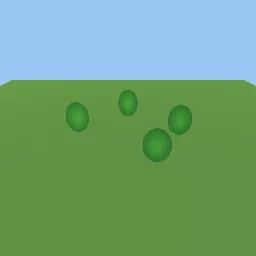
What this component contains
ATTRIBUTION.mdLICENSEREADME.mdbillboard_axis_modes.gdshadercomponent.jsondemo.tscninspect_shader.pymaterial.trespreview.pngtest_package.pyverification/native.json
How it works
- Shader type
- spatial
- Render modes
- cull_disabled
- Parameters
- card_texture (sampler2D), tint (vec4 = 1, 1, 1, 1), mode (int = 1), alpha_cutoff (float = 0.5), shade_as_upright (bool = yes)
- Use it on
- Card textures with alpha, and quads whose origin sits at the base for cylindrical mode (the demo uses `center_offset`).
- Result
- Round green tree cards standing upright and turning to face the camera as it moves.
- Renderers
- compatibility: compiled and rendered, forward plus: not verified, mobile: not verified
- Placement
- res://baltor/godot_shaders/billboard_axis_modes/
Recorded checks
godot 4.7.2.stable.official.ed1daf0bf
contract_staticengine_runengine_log_cleanshader_in_scenecapture_writtenrender_not_uniformshader_changes_pixels
Limits to consider
Cards rotate in the vertex stage, so frustum culling and shadows use the unrotated mesh bounds; give nodes a margin. Shadow maps render the card facing the light camera, not the main camera. Cylindrical mode degenerates when the camera is exactly above the card.